> ## Documentation Index
> Fetch the complete documentation index at: https://boxo.mintlify.site/llms.txt
> Use this file to discover all available pages before exploring further.
# Native Components
Native components are UI components that are natively developed on the iOS and Android that can be used in combination with web UI components with the help of events from the JS SDK.
List of native components and native features that are available to your miniapp:
* [Navigation bar](/miniapp/Native#navigation-bar)
* [TabBar](/miniapp/Native#tab-bar)
* [QR code reader](/miniapp/Native#qr-code-reader)
* [Action sheet](/miniapp/Native#action-sheet)
* [Action buttons](/miniapp/Native#action-buttons)
* [Alert](/miniapp/Native#alert)
* [Geolocation](/miniapp/Native#geolocation)
* [Map](/miniapp/Native#map)
* [Image Gallery](/miniapp/Native#image-gallery)
* [Loading indicator](/miniapp/Native#loading-indicator)
* [Haptic feedback](/miniapp/Native#haptic-feedback)
* [Storage](/miniapp/Native#storage)
* [Clipboard](/miniapp/Native#clipboard)
* [Accelerometer](/miniapp/Native#accelerometer)
* [Gyroscope](/miniapp/Native#gyroscope)
* [Compass](/miniapp/Native#compass)
## Navigation bar
### `AppBoxoWebAppSetNavigationBar`
Activates native navigation bar.
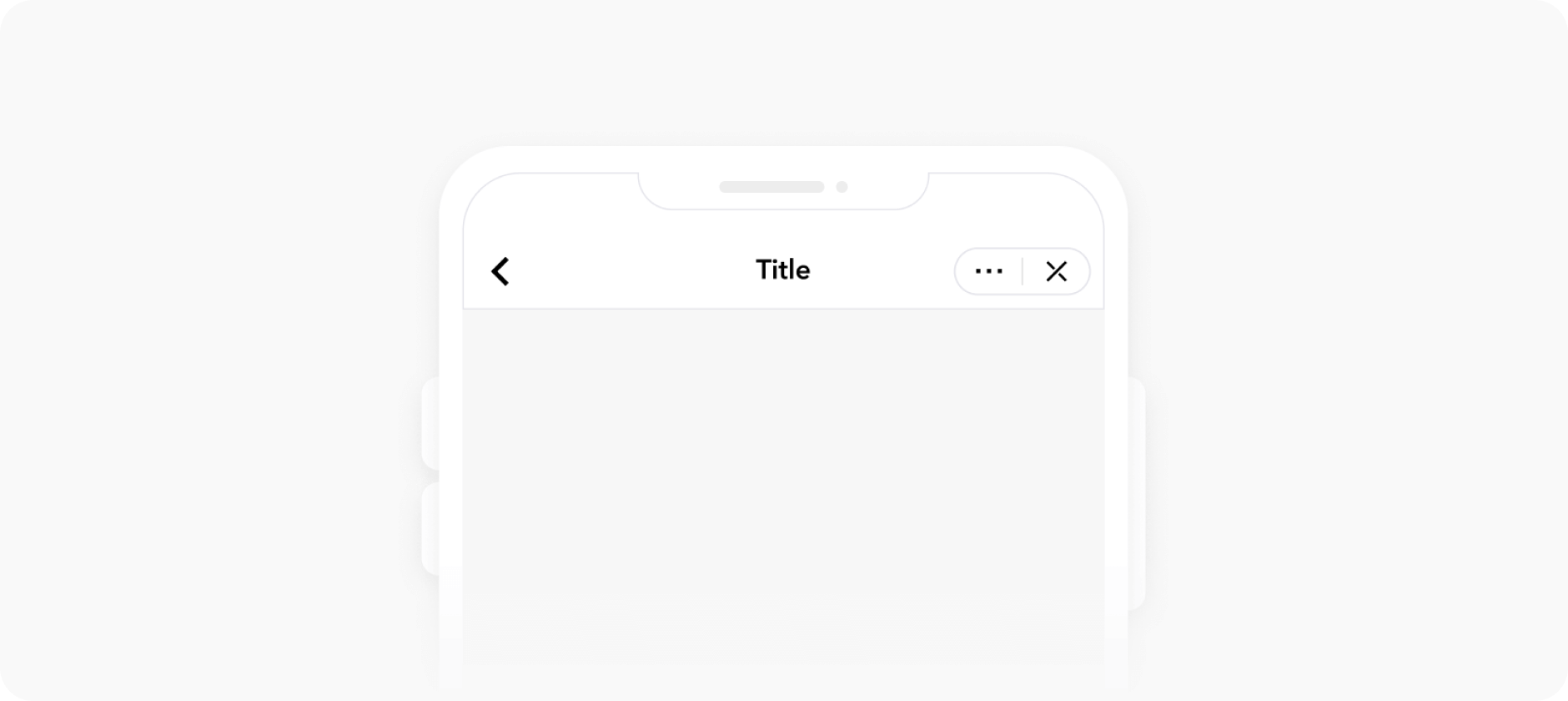 Example:
```js theme={"system"}
appboxo.send('AppBoxoWebAppSetNavigationBar', {
title: 'Light nav bar', // Navigation bar title
backButton: true, // Controls back button visibility
background: '#ffffff', // Navigation bar background color
frontColor: '#000000', // Navigation bar and status bar accent color
show: true // Controls navigation bar visibility,
isBackgroundTransparent: true, // When set to true, will make background transparent
frontColorWhenTransparent: '#ffffff', // Navigation bar and status bar accent color when navigation has transparent background
changeBackgroundOnScroll: true // Will smoothly change backgroound from transparent to `background` color on scroll
})
```
Sending event with only required changes will preserve initial options:
```js theme={"system"}
appboxo.send('AppBoxoWebAppSetNavigationBar', {
title: 'Changed some time later'
})
```
Example:
```js theme={"system"}
appboxo.send('AppBoxoWebAppSetNavigationBar', {
title: 'Light nav bar', // Navigation bar title
backButton: true, // Controls back button visibility
background: '#ffffff', // Navigation bar background color
frontColor: '#000000', // Navigation bar and status bar accent color
show: true // Controls navigation bar visibility,
isBackgroundTransparent: true, // When set to true, will make background transparent
frontColorWhenTransparent: '#ffffff', // Navigation bar and status bar accent color when navigation has transparent background
changeBackgroundOnScroll: true // Will smoothly change backgroound from transparent to `background` color on scroll
})
```
Sending event with only required changes will preserve initial options:
```js theme={"system"}
appboxo.send('AppBoxoWebAppSetNavigationBar', {
title: 'Changed some time later'
})
```
## Tab bar
### `AppBoxoWebAppSetTabBar`
Initialized native tab bar component
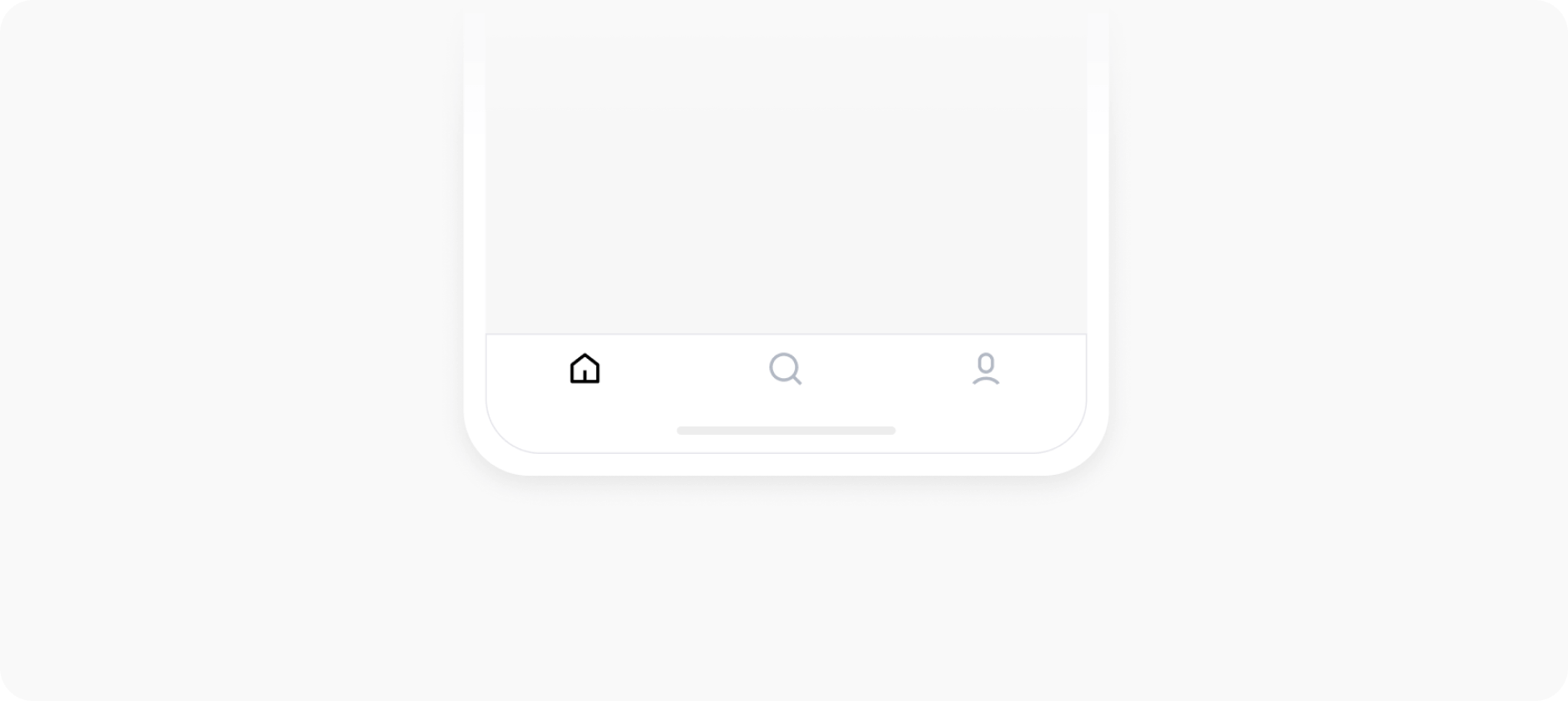 **Parameters**
* `show` **required** `boolean`
Defines TabBar visibility
* `activeTab` **required** `number`
Active TabBar item id
* `list` **required** `Array<{ tabId: number, tabName: string, tabIcon: string }>`
Define tabs
* `options` **required** `{ color: string, background: string, selectedColor: string, hasBorder: boolean, borderColor: string }`
Tab bar options
* `badges` **optional** `Array<{ tabId: number, background: string, color: string, value?: string }>`
Define tab item badges.
Example:
```js theme={"system"}
appboxo.send('AppBoxoWebAppSetTabBar', {
show: true,
activeTab: 1,
list: [
{
tabId: 1,
tabName: 'Home',
tabIcon: ICON_URL
},
{
tabId: 2,
tabName: 'About',
tabIcon: ICON_URL
},
{
tabId: 3,
tabName: 'Services',
tabIcon: ICON_URL
}
],
badges: [
{
tabId: 1,
background: '#ff0000',
color: '#ffffff',
value: '4'
},
{
tabId: 3,
background: '#ff0000',
color: '#ffffff',
value: '1'
}
],
options: {
color: '#aaaaaa',
background: '#ffffff',
selectedColor: '#2eb8da',
hasBorder: true,
borderColor: '#dddddd'
}
})
```
Sending event with only required changes will preserve initial options:
```js theme={"system"}
appboxo.send('AppBoxoWebAppSetTabBar', {
activeTab: 2
})
```
```js theme={"system"}
appboxo.send('AppBoxoWebAppSetTabBar', {
options: {
color: '#ffffff',
background: '#000000',
selectedColor: '#2eb8da',
hasBorder: false
}
})
```
### `AppBoxoWebAppTabBarItemClick`
Event that should be subscribed to in order to get active tab item click
Example:
```js theme={"system"}
appboxo.subscribe((event) => {
if (!event.detail) {
return
}
const { type, data } = event.detail
if (type === 'AppBoxoWebAppTabBarItemClick') {
if (data.tabId) {
// Active tab id received
}
}
})
```
**Parameters**
* `show` **required** `boolean`
Defines TabBar visibility
* `activeTab` **required** `number`
Active TabBar item id
* `list` **required** `Array<{ tabId: number, tabName: string, tabIcon: string }>`
Define tabs
* `options` **required** `{ color: string, background: string, selectedColor: string, hasBorder: boolean, borderColor: string }`
Tab bar options
* `badges` **optional** `Array<{ tabId: number, background: string, color: string, value?: string }>`
Define tab item badges.
Example:
```js theme={"system"}
appboxo.send('AppBoxoWebAppSetTabBar', {
show: true,
activeTab: 1,
list: [
{
tabId: 1,
tabName: 'Home',
tabIcon: ICON_URL
},
{
tabId: 2,
tabName: 'About',
tabIcon: ICON_URL
},
{
tabId: 3,
tabName: 'Services',
tabIcon: ICON_URL
}
],
badges: [
{
tabId: 1,
background: '#ff0000',
color: '#ffffff',
value: '4'
},
{
tabId: 3,
background: '#ff0000',
color: '#ffffff',
value: '1'
}
],
options: {
color: '#aaaaaa',
background: '#ffffff',
selectedColor: '#2eb8da',
hasBorder: true,
borderColor: '#dddddd'
}
})
```
Sending event with only required changes will preserve initial options:
```js theme={"system"}
appboxo.send('AppBoxoWebAppSetTabBar', {
activeTab: 2
})
```
```js theme={"system"}
appboxo.send('AppBoxoWebAppSetTabBar', {
options: {
color: '#ffffff',
background: '#000000',
selectedColor: '#2eb8da',
hasBorder: false
}
})
```
### `AppBoxoWebAppTabBarItemClick`
Event that should be subscribed to in order to get active tab item click
Example:
```js theme={"system"}
appboxo.subscribe((event) => {
if (!event.detail) {
return
}
const { type, data } = event.detail
if (type === 'AppBoxoWebAppTabBarItemClick') {
if (data.tabId) {
// Active tab id received
}
}
})
```
## QR code reader
### `AppBoxoWebAppOpenQRCodeReader`
Opens native QR code reader.
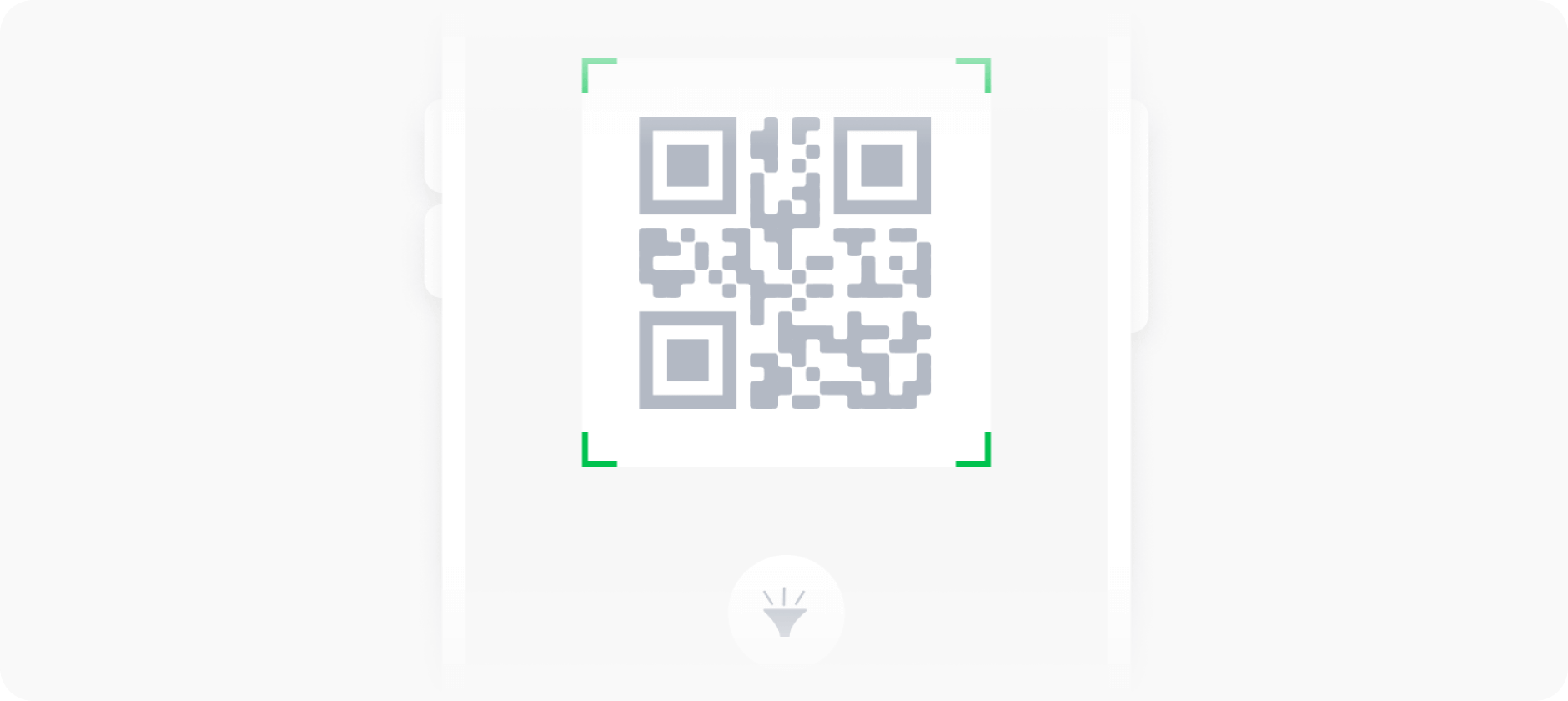 *This method will prompt a permission request for camera.*
Example:
```js theme={"system"}
appboxo.send('AppBoxoWebAppOpenQRCodeReader');
```
Results from QR code reader are received by events: `AppBoxoWebAppOpenQRCodeReaderResult` or `AppBoxoWebAppOpenQRCodeReaderFailed`
Example:
```js theme={"system"}
// Subscribe to events to receive data
appboxo.subscribe(event => {
if (!event.detail) {
return;
}
const { type, data } = event.detail;
if (type === 'AppBoxoWebAppOpenQRCodeReaderResult') {
// Reading result of the QR Code Reader
console.log(data.code_data);
}
if (type === 'AppBoxoWebAppOpenQRCodeReaderFailed') {
// Catching the error
console.log(data.error_type, data.error_data);
}
});
```
*This method will prompt a permission request for camera.*
Example:
```js theme={"system"}
appboxo.send('AppBoxoWebAppOpenQRCodeReader');
```
Results from QR code reader are received by events: `AppBoxoWebAppOpenQRCodeReaderResult` or `AppBoxoWebAppOpenQRCodeReaderFailed`
Example:
```js theme={"system"}
// Subscribe to events to receive data
appboxo.subscribe(event => {
if (!event.detail) {
return;
}
const { type, data } = event.detail;
if (type === 'AppBoxoWebAppOpenQRCodeReaderResult') {
// Reading result of the QR Code Reader
console.log(data.code_data);
}
if (type === 'AppBoxoWebAppOpenQRCodeReaderFailed') {
// Catching the error
console.log(data.error_type, data.error_data);
}
});
```
## Action sheet
### `AppBoxoWebAppShowActionSheet`
Shows native action sheet
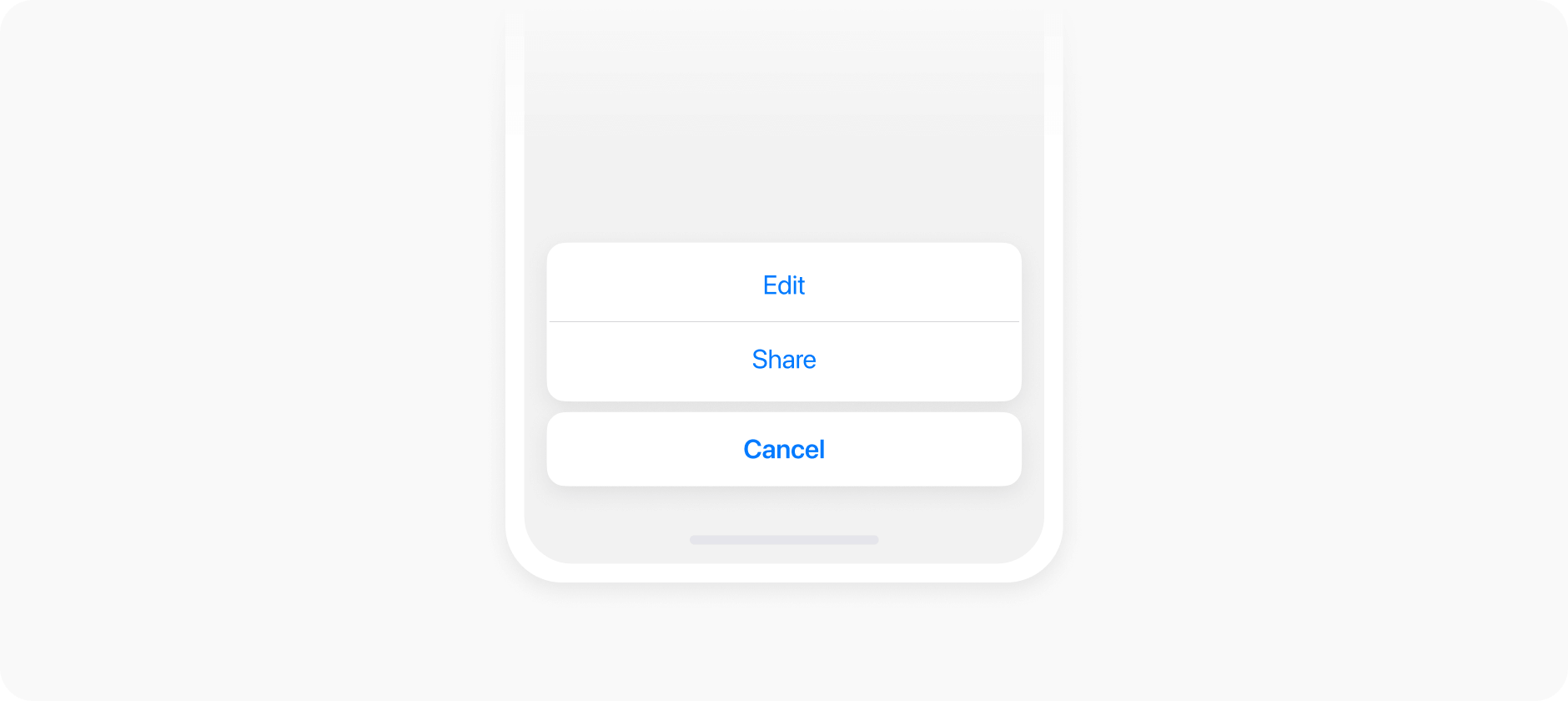 **Parameters**
* `header` **optional** `string`
Action sheet header text
* `list` **required** `Array<{ id: number, text: string, role?: 'cancel' | 'destructive' | 'selected' }>`
Define action sheet items
Example:
```js theme={"system"}
appboxo.send('AppBoxoWebAppShowActionSheet', {
header: 'Albums',
list: [
{
id: 1,
text: 'Delete',
role:'destructive'
},
{
id: 2,
text: 'Selected',
role:'selected'
},
{
id: 3,
text: 'Share',
},
{
id: 4,
text: 'Play',
},
{
id: 5,
text: 'Cancel',
role: 'cancel'
}
]
})
```
### `AppBoxoWebAppActionSheetItemClick`
Event that should be subscribed to in order to get action sheet item click
Example:
```js theme={"system"}
appboxo.subscribe((event) => {
if (!event.detail) {
return
}
const { type, data } = event.detail
if (type === 'AppBoxoWebAppActionSheetItemClick') {
if (data.id) {
// Action sheet item id received
}
}
})
```
**Parameters**
* `header` **optional** `string`
Action sheet header text
* `list` **required** `Array<{ id: number, text: string, role?: 'cancel' | 'destructive' | 'selected' }>`
Define action sheet items
Example:
```js theme={"system"}
appboxo.send('AppBoxoWebAppShowActionSheet', {
header: 'Albums',
list: [
{
id: 1,
text: 'Delete',
role:'destructive'
},
{
id: 2,
text: 'Selected',
role:'selected'
},
{
id: 3,
text: 'Share',
},
{
id: 4,
text: 'Play',
},
{
id: 5,
text: 'Cancel',
role: 'cancel'
}
]
})
```
### `AppBoxoWebAppActionSheetItemClick`
Event that should be subscribed to in order to get action sheet item click
Example:
```js theme={"system"}
appboxo.subscribe((event) => {
if (!event.detail) {
return
}
const { type, data } = event.detail
if (type === 'AppBoxoWebAppActionSheetItemClick') {
if (data.id) {
// Action sheet item id received
}
}
})
```
## Action buttons
### `AppBoxoWebAppSetActionButton`
Changes the params of action button
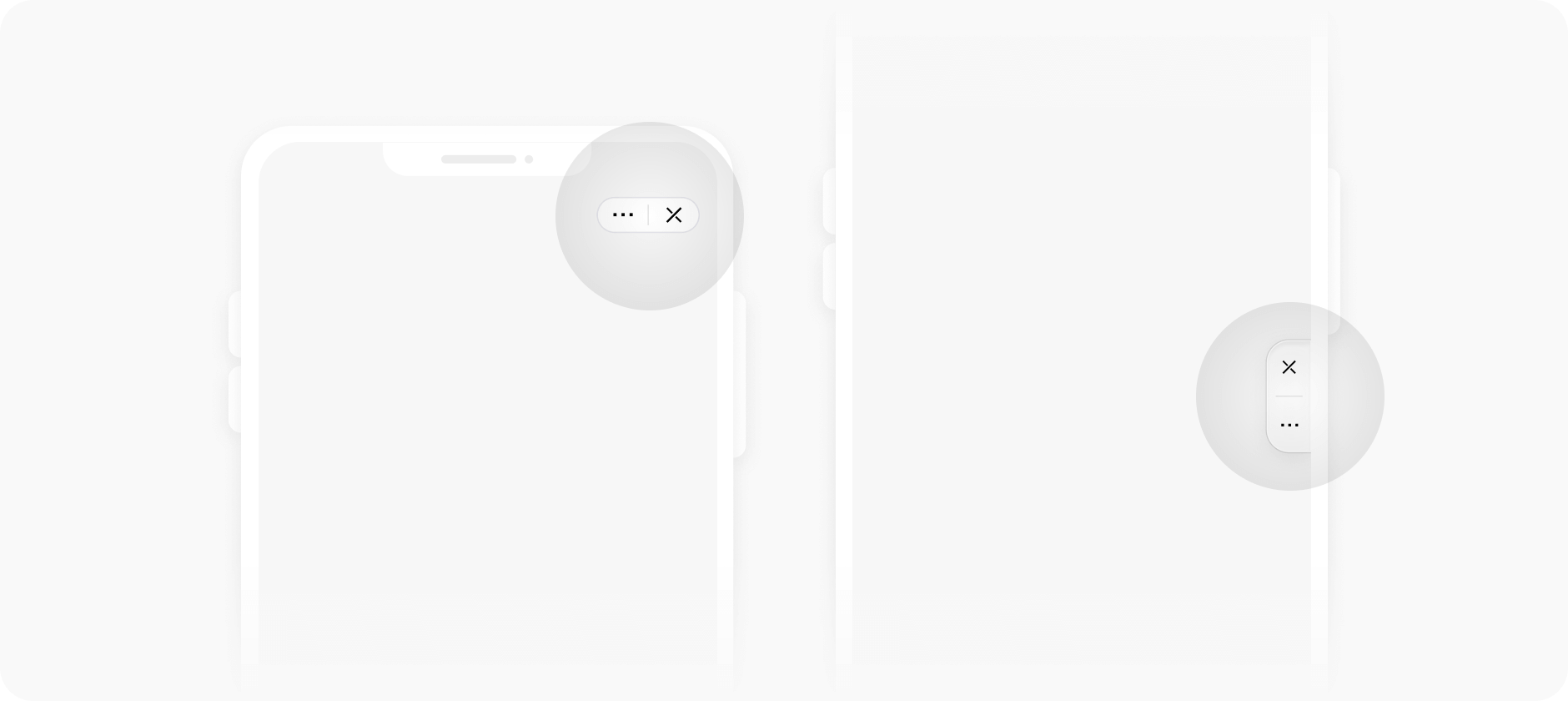 Example:
```js theme={"system"}
appboxo.send('AppBoxoWebAppSetActionButton', {
isLight: true, //optional - By default is value from MiniappSettings
visible: true //optional
})
```
Example:
```js theme={"system"}
appboxo.send('AppBoxoWebAppSetActionButton', {
isLight: true, //optional - By default is value from MiniappSettings
visible: true //optional
})
```
## Alert
### `AppBoxoWebAppShowAlert`
Show native alert box
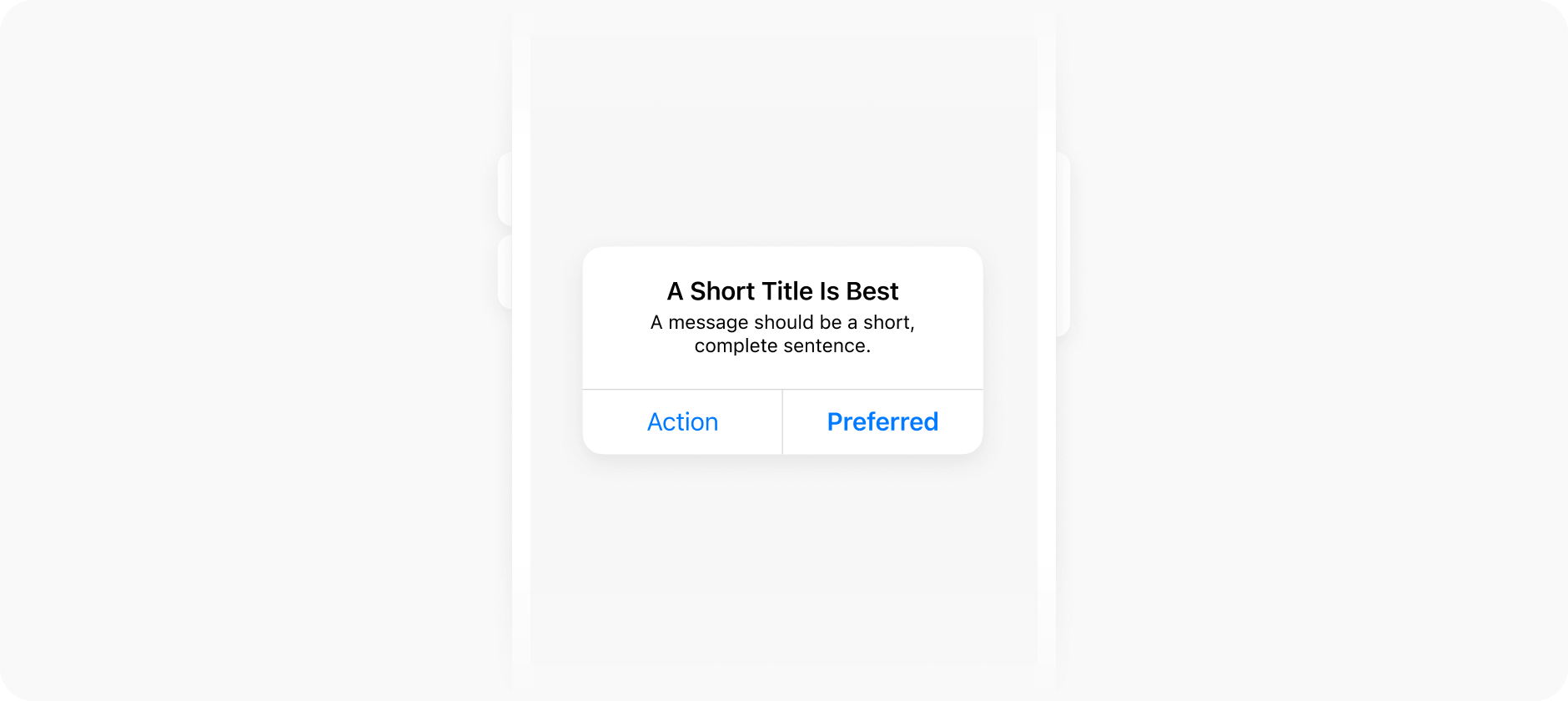 **Parameters**
* `header` **optional** `string`
Alert header text
* `message` **optional** `string`
Alert message
* `buttons` **required** `Array<{ id: number, text: string, role?: 'cancel' | 'destructive' }>`
Define buttons
Example:
```js theme={"system"}
const showAlert = async () => {
const data = await appboxo.sendPromise('AppBoxoWebAppShowAlert', {
header: 'Native alert',
message: 'This is a native alert box.',
buttons: [
{
id: 1,
text: 'Cancel',
role:'destructive'
},
{
id: 2,
text: 'Ok'
}
]
});
// Selected button
const selectedButton = data.id
};
```
**Parameters**
* `header` **optional** `string`
Alert header text
* `message` **optional** `string`
Alert message
* `buttons` **required** `Array<{ id: number, text: string, role?: 'cancel' | 'destructive' }>`
Define buttons
Example:
```js theme={"system"}
const showAlert = async () => {
const data = await appboxo.sendPromise('AppBoxoWebAppShowAlert', {
header: 'Native alert',
message: 'This is a native alert box.',
buttons: [
{
id: 1,
text: 'Cancel',
role:'destructive'
},
{
id: 2,
text: 'Ok'
}
]
});
// Selected button
const selectedButton = data.id
};
```
## Geolocation
### `AppBoxoWebAppGetGeodata`
Requests user geodata. This method will prompt a permission request to access geolocation.
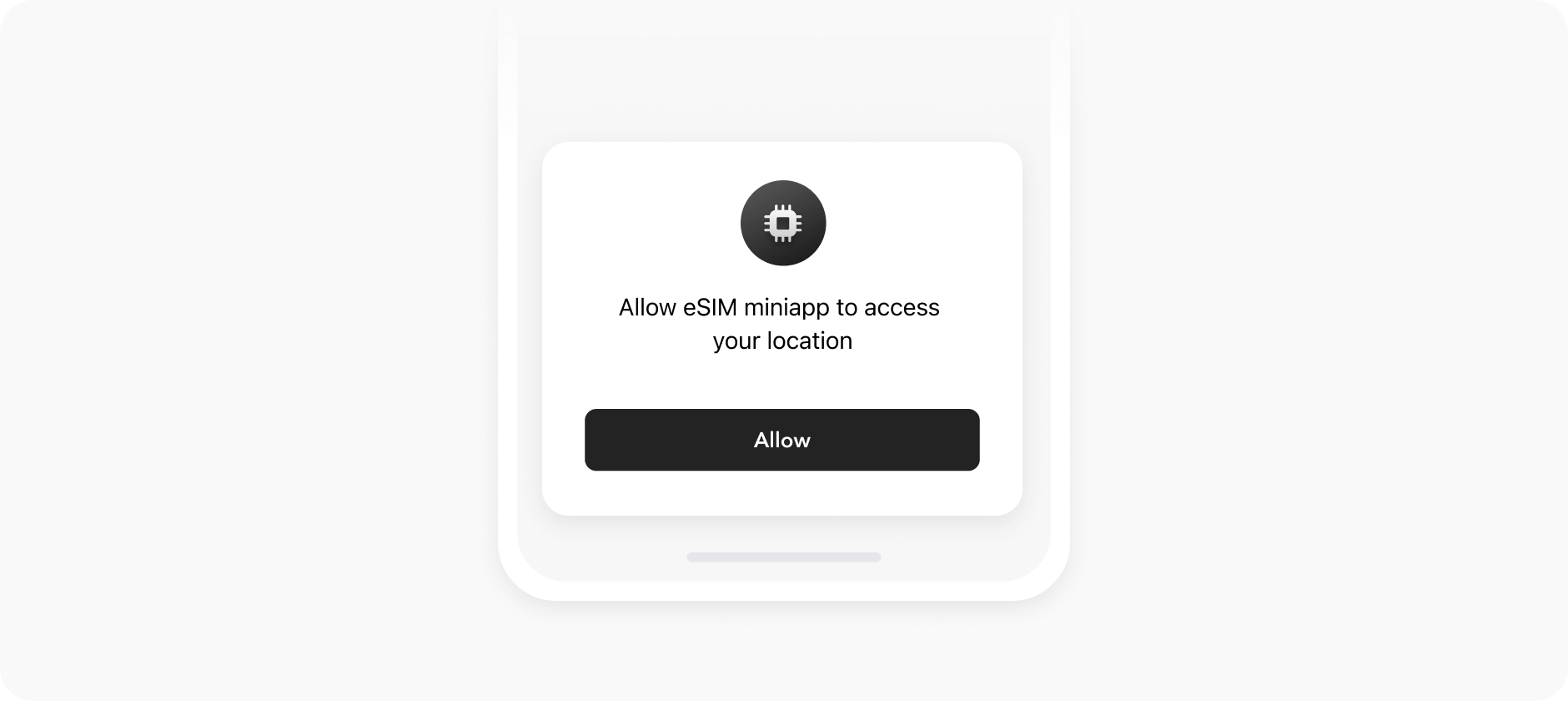 Example:
```js theme={"system"}
const getGeodata = async () => {
const data = await appboxo.sendPromise('AppBoxoWebAppGetGeodata');
return {
isAvailable: !!data.available,
lat: parseFloat(data.lat),
long: parseFloat(data.long)
};
};
```
Example:
```js theme={"system"}
const getGeodata = async () => {
const data = await appboxo.sendPromise('AppBoxoWebAppGetGeodata');
return {
isAvailable: !!data.available,
lat: parseFloat(data.lat),
long: parseFloat(data.long)
};
};
```
## Map
### `AppBoxoWebAppChooseLocation`
Open full screen map to choose location
*This method will prompt a permission request to access geolocation.*
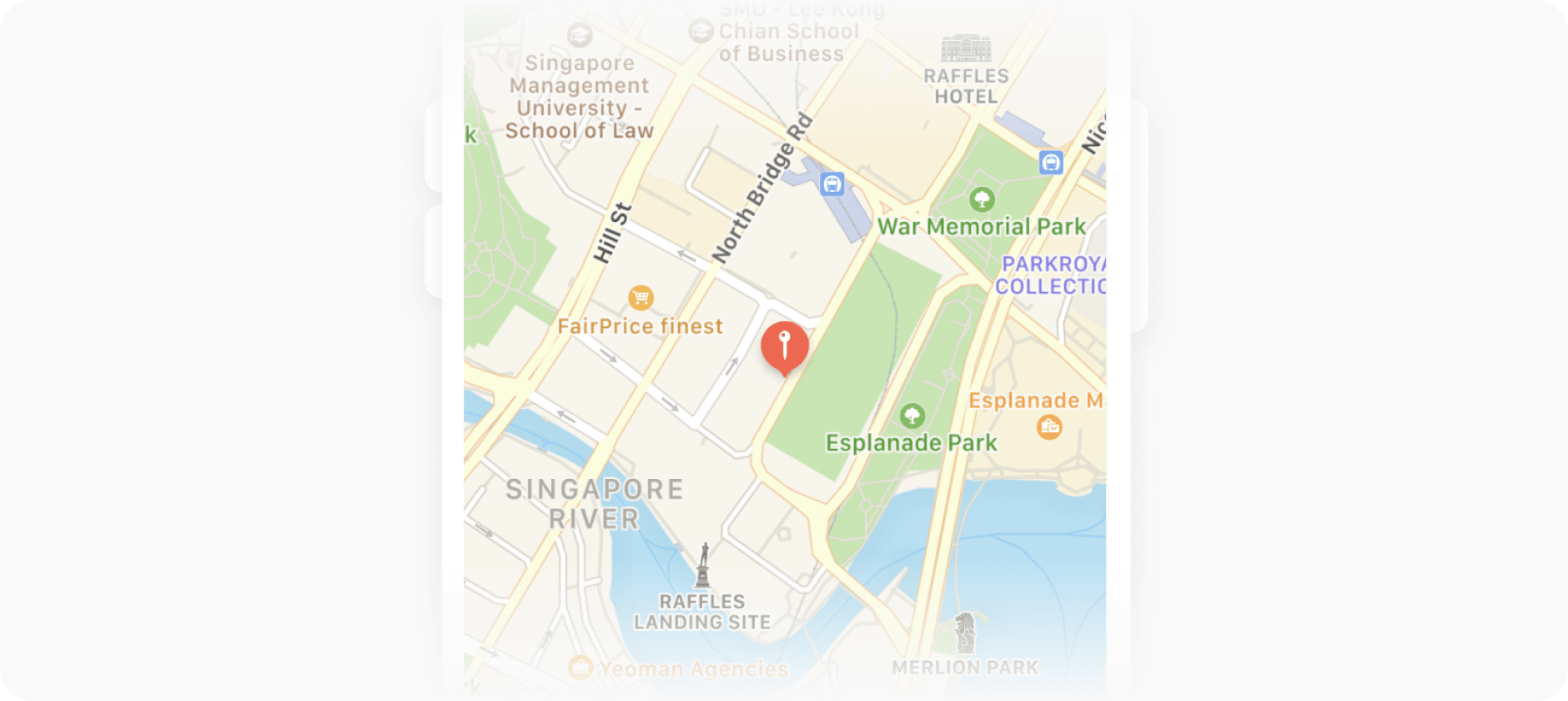 Example:
```js theme={"system"}
const chooseLocation = async () => {
const data = await appboxo.sendPromise('AppBoxoWebAppChooseLocation');
return {
latitude: parseFloat(data.latitude),
longitude: parseFloat(data.longitude)
};
};
```
### `AppBoxoWebAppOpenLocation`
Open full screen map to that shows markered location
*This method will prompt a permission request to access geolocation.*
Example:
```js theme={"system"}
const openLocation = async () => {
const data = await appboxo.sendPromise('AppBoxoWebAppOpenLocation', {
latitude: 42.5264986,
longitude: 74.5788997,
scale: 13
});
console.log(data)
// Returns:
// {
// result: true
// }
};
```
Example:
```js theme={"system"}
const chooseLocation = async () => {
const data = await appboxo.sendPromise('AppBoxoWebAppChooseLocation');
return {
latitude: parseFloat(data.latitude),
longitude: parseFloat(data.longitude)
};
};
```
### `AppBoxoWebAppOpenLocation`
Open full screen map to that shows markered location
*This method will prompt a permission request to access geolocation.*
Example:
```js theme={"system"}
const openLocation = async () => {
const data = await appboxo.sendPromise('AppBoxoWebAppOpenLocation', {
latitude: 42.5264986,
longitude: 74.5788997,
scale: 13
});
console.log(data)
// Returns:
// {
// result: true
// }
};
```
## Image gallery
### `AppBoxoWebAppShowImages`
Open full screen native image gallery
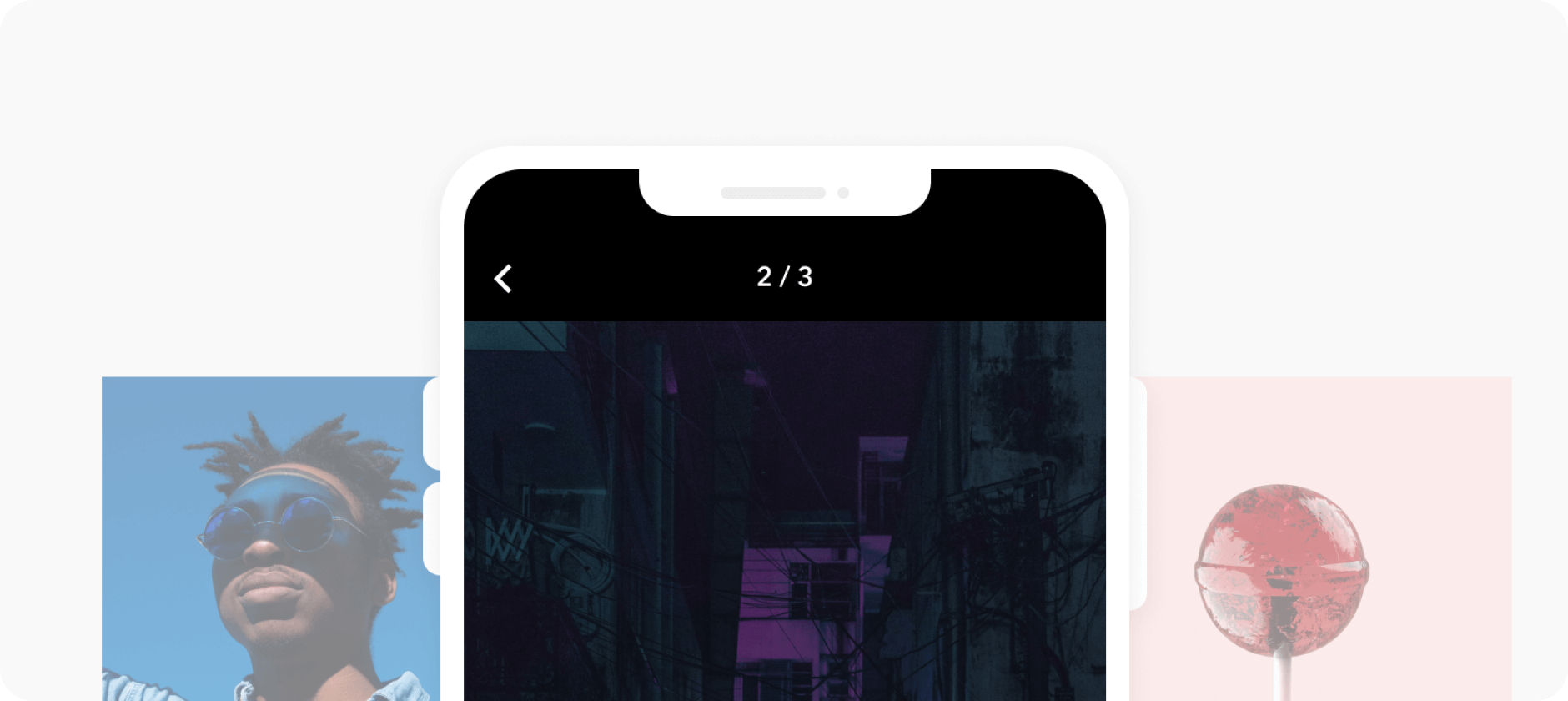 **Parameters**
`start_index` *optional* `number` Index to start showing from
`images` *required* `Array` Image urls
Example:
```js theme={"system"}
appboxo.send('AppBoxoWebAppShowImages', {
images: [
// image urls
]
});
```
After image gallery is closed, the same event will be dispatched back to the miniapp with result data.
Example:
```js theme={"system"}
appboxo.subscribe((event) => {
if (!event.detail) {
return
}
const { type, data } = event.detail
if (type === 'AppBoxoWebAppShowImages') {
if (data.result) {
// Image gallery has been shown successfully
} else {
// There were problems loading provided images
}
}
})
```
**Parameters**
`start_index` *optional* `number` Index to start showing from
`images` *required* `Array` Image urls
Example:
```js theme={"system"}
appboxo.send('AppBoxoWebAppShowImages', {
images: [
// image urls
]
});
```
After image gallery is closed, the same event will be dispatched back to the miniapp with result data.
Example:
```js theme={"system"}
appboxo.subscribe((event) => {
if (!event.detail) {
return
}
const { type, data } = event.detail
if (type === 'AppBoxoWebAppShowImages') {
if (data.result) {
// Image gallery has been shown successfully
} else {
// There were problems loading provided images
}
}
})
```
## Loading indicator
### `AppBoxoWebAppLoadingIndicator`
Shows native loading indicator.
 **Important:** Loading indicator will timeout after 30 seconds with prompt to hide it if no event is dispatched to change it.
Example:
```js theme={"system"}
appboxo.send('AppBoxoWebAppLoadingIndicator', {
show: true
})
```
**Important:** Loading indicator will timeout after 30 seconds with prompt to hide it if no event is dispatched to change it.
Example:
```js theme={"system"}
appboxo.send('AppBoxoWebAppLoadingIndicator', {
show: true
})
```
## Haptic feedback
### `AppBoxoWebAppVibrate`
Triggers haptic engine on the device, if available.
 Parameters
`style` *optional* `'light' | 'medium' | 'heavy'` Controls strength of vibration, defaults to 'light'.
Example:
```js theme={"system"}
appboxo.send('AppBoxoWebAppVibrate', {
style: 'medium'
})
```
Parameters
`style` *optional* `'light' | 'medium' | 'heavy'` Controls strength of vibration, defaults to 'light'.
Example:
```js theme={"system"}
appboxo.send('AppBoxoWebAppVibrate', {
style: 'medium'
})
```
## Storage
### `AppBoxoWebAppStorageGet`
Requests a value from the storage
**Parameters**
`keys` *required* `Array` Keys for getting (\[a-zA-Z\_-0-9])
Example:
```js theme={"system"}
const getUserData = async () => {
const userData = await appboxo.sendPromise('AppBoxoWebAppStorageGet', {
keys: ['username', 'email']
});
console.log(userData)
// Returns:
// {
// keys: [
// {
// key: 'username',
// value: 'John'
// },
// {
// key: 'email',
// value: 'john@doe.com'
// }
// ]
// }
};
```
### `AppBoxoWebAppStorageGetKeys`
Request list of keys of some stored values
**Parameters**
`count` *required* `number` Count of keys to get. Max value is 1000
`offset` *optional* `number` The offset required to fetch a specific subset of keys. Default: 0
Example:
```js theme={"system"}
const getStorageKeys = async () => {
const storageKeys = await appboxo.sendPromise('AppBoxoWebAppStorageGetKeys', {
count: 10
});
console.log(storageKeys);
// Returns:
// {
// keys: ['username', 'email']
// }
};
```
### `AppBoxoWebAppStorageSet`
Stores value in storage
**Parameters**
`key` *required* `string` The key of value (\[a-zA-Z\_-0-9])
`value` *optional* `string` value
Example:
```js theme={"system"}
const saveData = async ({ key, value }) => {
const response = await appboxo.sendPromise('AppBoxoWebAppStorageSet', {
key,
value
});
console.log(response);
// Returns:
// {
// result: true
// }
};
```
### `AppBoxoWebAppStorageRemove`
Removes value in storage
**Parameters**
`key` *required* `string` The key of value (\[a-zA-Z\_-0-9])
Example:
```js theme={"system"}
const removeData = async ({ key }) => {
const response = await appboxo.sendPromise('AppBoxoWebAppStorageRemove', { key });
console.log(response);
// Returns:
// {
// result: true
// }
};
```
### `AppBoxoWebAppStorageClear`
Clears all data in storage
Example:
```js theme={"system"}
const clearStorage = async () => {
const response = await appboxo.sendPromise('AppBoxoWebAppStorageClear');
console.log(response);
// Returns:
// {
// result: true
// }
};
```
## Clipboard
### `AppBoxoWebAppGetClipboard`
Gets the content on the system clipboard.
Example:
```js theme={"system"}
const getClipboard = async () => {
const response = await appboxo.sendPromise('AppBoxoWebAppGetClipboard');
console.log(response);
// Returns:
// {
// data: 'from clipboard or null'
// }
};
```
### `AppBoxoWebAppSetClipboard`
Sets the content on the system clipboard.
**Parameters**
`data` *required* `string` Content to be copied to clipboard
Example:
```js theme={"system"}
const setClipboard = async () => {
const response = await appboxo.sendPromise('AppBoxoWebAppSetClipboard', {
data: 'copied to clipboard'
});
console.log(response);
// Returns:
// {
// result: true
// }
};
```
## Accelerometer
### `AppBoxoWebAppStartAccelerometer`
Starts listening on acceleration data.
Example:
```js theme={"system"}
const startAccelerometer = async () => {
const response = await appboxo.sendPromise('AppBoxoWebAppStartAccelerometer', {
interval: 200 // Update interval in ms
});
console.log(response);
// Returns:
// {
// result: true
// }
};
```
### `AppBoxoWebAppStopAccelerometer`
Stops listening on acceleration data.
Example:
```js theme={"system"}
const stopAccelerometer = async () => {
const response = await appboxo.sendPromise('AppBoxoWebAppStopAccelerometer');
console.log(response);
// Returns:
// {
// result: true
// }
};
```
### `AppBoxoWebAppOnAccelerometerChange`
Listens on the acceleration data event. You can send `AppBoxoWebAppStopAccelerometer` event to stop listening.
Example:
```js theme={"system"}
appboxo.subscribe((event) => {
if (!event.detail) {
return
}
const { type, data } = event.detail
if (type === 'AppBoxoWebAppOnAccelerometerChange') {
console.log(data.x)
console.log(data.y)
console.log(data.z)
}
})
```
## Gyroscope
### `AppBoxoWebAppStartGyroscope`
Starts listening on gyroscope data.
Example:
```js theme={"system"}
const startAccelerometer = async () => {
const response = await appboxo.sendPromise('AppBoxoWebAppStartGyroscope', {
interval: 200 // Update interval in ms
})
console.log(response);
// Returns:
// {
// result: true
// }
};
```
`AppBoxoWebAppStopGyroscope`
Stops listening on gyroscope data.
Example:
```js theme={"system"}
const stopAccelerometer = async () => {
const response = await appboxo.sendPromise('AppBoxoWebAppStopGyroscope');
console.log(response);
// Returns:
// {
// result: true
// }
};
```
### `AppBoxoWebAppOnGyroscopeChange`
Listens on the gyroscope data event. You can send `AppBoxoWebAppStopGyroscope` event to stop listening.
Example:
```js theme={"system"}
appboxo.subscribe((event) => {
if (!event.detail) {
return
}
const { type, data } = event.detail
if (type === 'AppBoxoWebAppOnGyroscopeChange') {
console.log(data.x)
console.log(data.y)
console.log(data.z)
}
})
```
## Compass
### `AppBoxoWebAppStartCompass`
Starts listening on compass data.
Example:
```js theme={"system"}
const startCompass = async () => {
const response = await appboxo.sendPromise('AppBoxoWebAppStartCompass')
console.log(response);
// Returns:
// {
// result: true
// }
};
```
### `AppBoxoWebAppStopCompass`
Stops listening on compass data.
Example:
```js theme={"system"}
const stopCompass = async () => {
const response = await appboxo.sendPromise('AppBoxoWebAppStopCompass');
console.log(response);
// Returns:
// {
// result: true
// }
};
```
### `AppBoxoWebAppOnCompassChange`
Listens on the compass data event. You can send `AppBoxoWebAppStopCompass` event to stop listening.
Example:
```js theme={"system"}
appboxo.subscribe((event) => {
if (!event.detail) {
return
}
const { type, data } = event.detail
if (type === 'AppBoxoWebAppOnCompassChange') {
console.log(data.direction)
}
})
```